Niri Plus / Desktop guide
A day between two halves
My desktop follows what I'm doing: interacting with the web, building in a terminal, or returning to work somewhere else. These are the small routines that shaped it.
Native reference demo
The current overview shows the Niri Plus homepage in Chrome beside Kitty and a clean public sample project. It follows terminal work, the full-height information sidebar, separate notification cards, Do Not Disturb and device controls in a freshly installed Arch guest. The videos use native 1280×800 at compositor scale 1; Chrome uses 125% browser zoom. The complete desktop stays in view. The content is public site/sample material; device readings come from the guest.
Staged Arch Linux x86_64 guest
Information at a glance
The current full-height sidebar beside Chrome and a black Kitty terminal: time, system meters, paired Ethernet details and individual notification cards in a fresh staged Arch guest.
Sample content and guest readings: Frozen public Niri Plus homepage from main 4672016, clean octocat/Hello-World sample; actual guest CPU/RAM/Ethernet and virtual audio, owned sample notifications. Wi-Fi/Bluetooth/GPU/battery hardware are absent.
33.9 seconds · 1280×800 · Captured 2026-11-07 · Components 0.4.3
- Return from the homepage to the public sample project in Kitty.
- Open the sidebar for time, system readings, the active Ethernet address and upload/download rates.
- Inspect two separate notifications from one sample app, toggle Do Not Disturb and restore it.
- Close and reopen the panel, then inspect Audio without leaving the desktop.
Setup: Notification sidebar · Kitty and Zsh · Open or download MP4 · Media provenance · Capture receipt
Capture details
Captured 2026-11-07. Silent H.264/yuv420p, 1280×800, 1017 decoded frames at 30/1 fps.
Output SHA-256: 3493f4ad2b8e314fc2de60a34c8a0a1caf758841a073218de64a4bfcdd2456a1. Poster SHA-256: ac521e98ec9e69d75d6c656e06721bd9d35f1235f3fb4482ebc131dbb2f5a9fb.
- Raw source capture SHA-256:
4118557c8ee85d10bc2f69f3e01c4235a50dc6c5a1c726d0542e233791417143.
Processing notes:
- Continuous native 1280x800 capture at compositor scale 1; Chrome 125% page zoom. No crop, overlays, time changes or color conversion.
- Full decode and full-frame black detection passed: d=0.20 pix_th=0.10 pic_th=0.999; no intervals.
- FFmpeg copy-faststart remux preserved compressed H.264 stream without re-encoding.
- Independent native PNG poster; installed desktop entries invoked through gtk-launch for the control menus.
Review status: agent passed; primary reviewed native stills and representative full-resolution encoded frames; automated passed; human pending.
The earlier recordings retain their original inputs, capture dates and bytes, including the superseded 800p takes and original 1080p recordings.
Explore the workflow
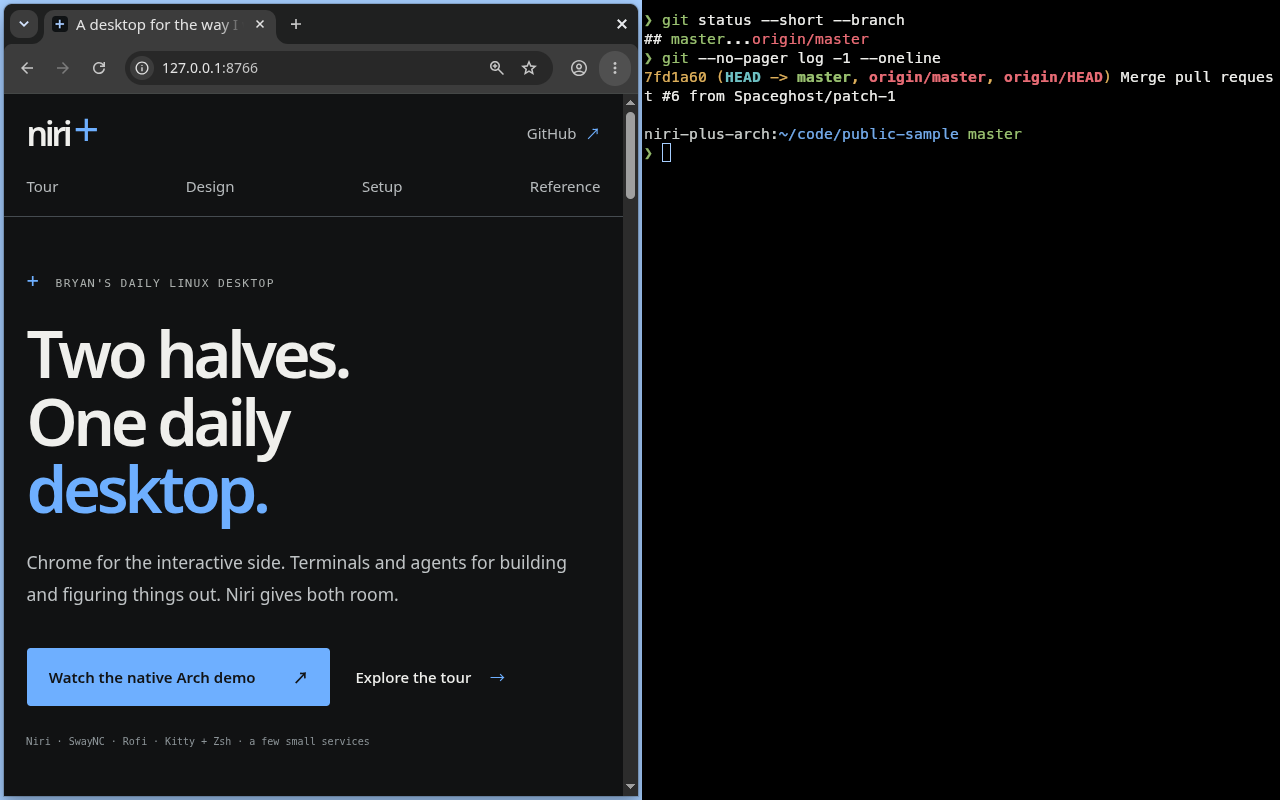
Chrome for interactive work, with the native terminal beside it.
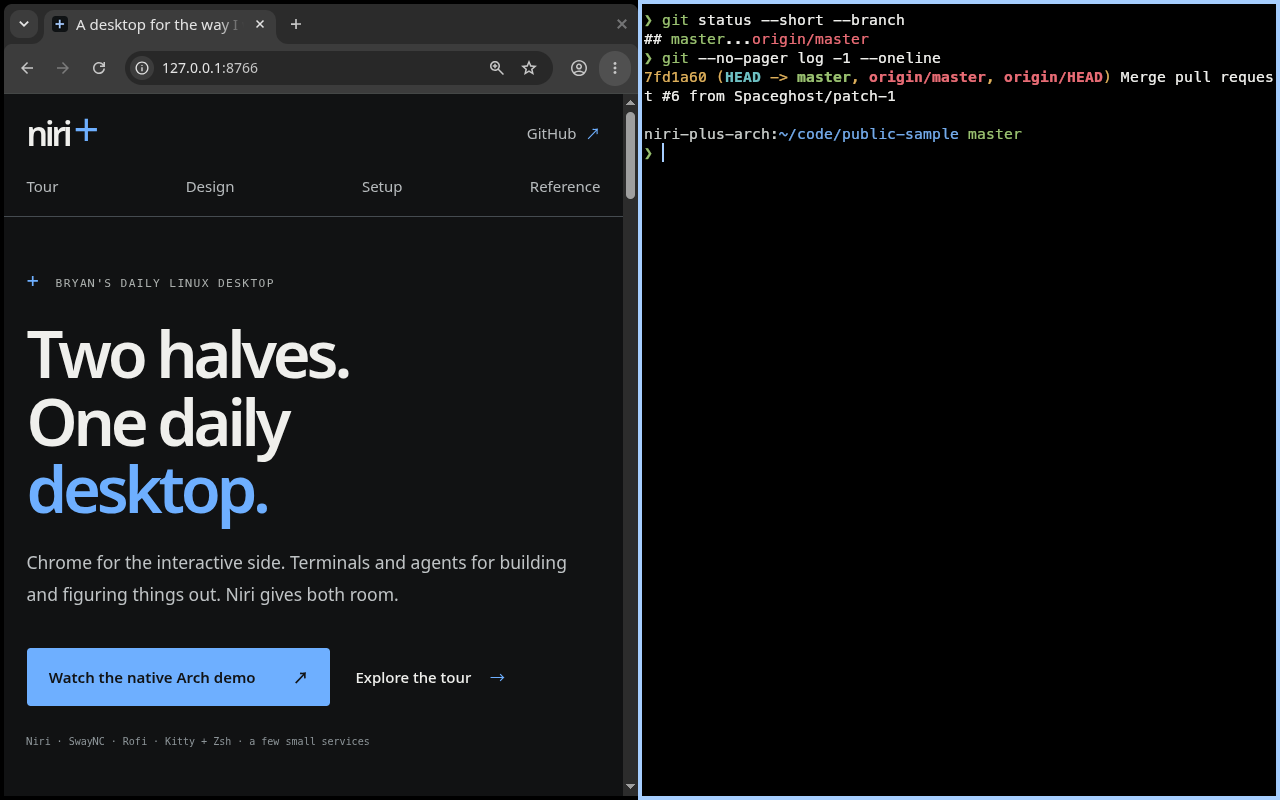
A native Zsh prompt, readable Git output, and the browser within reach.
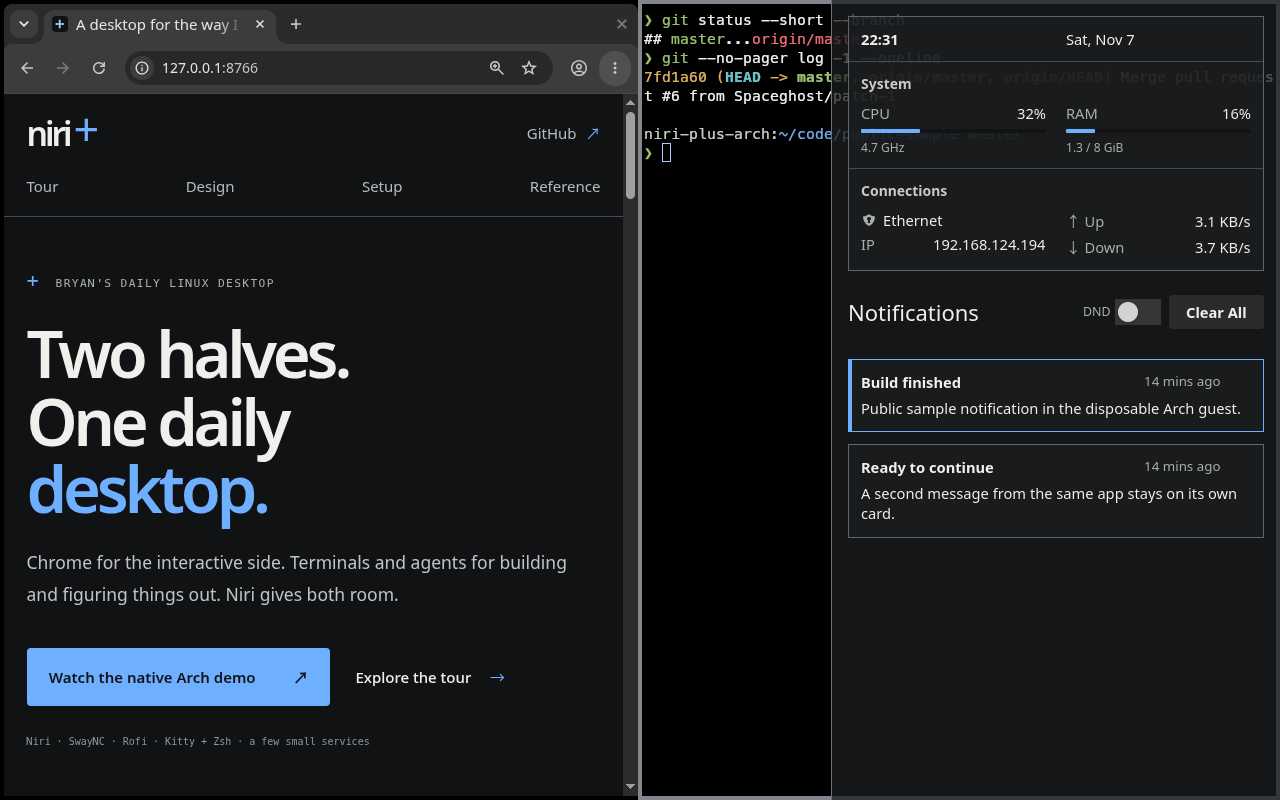
Open SwayNC, check the available system and network readings, then return to work.
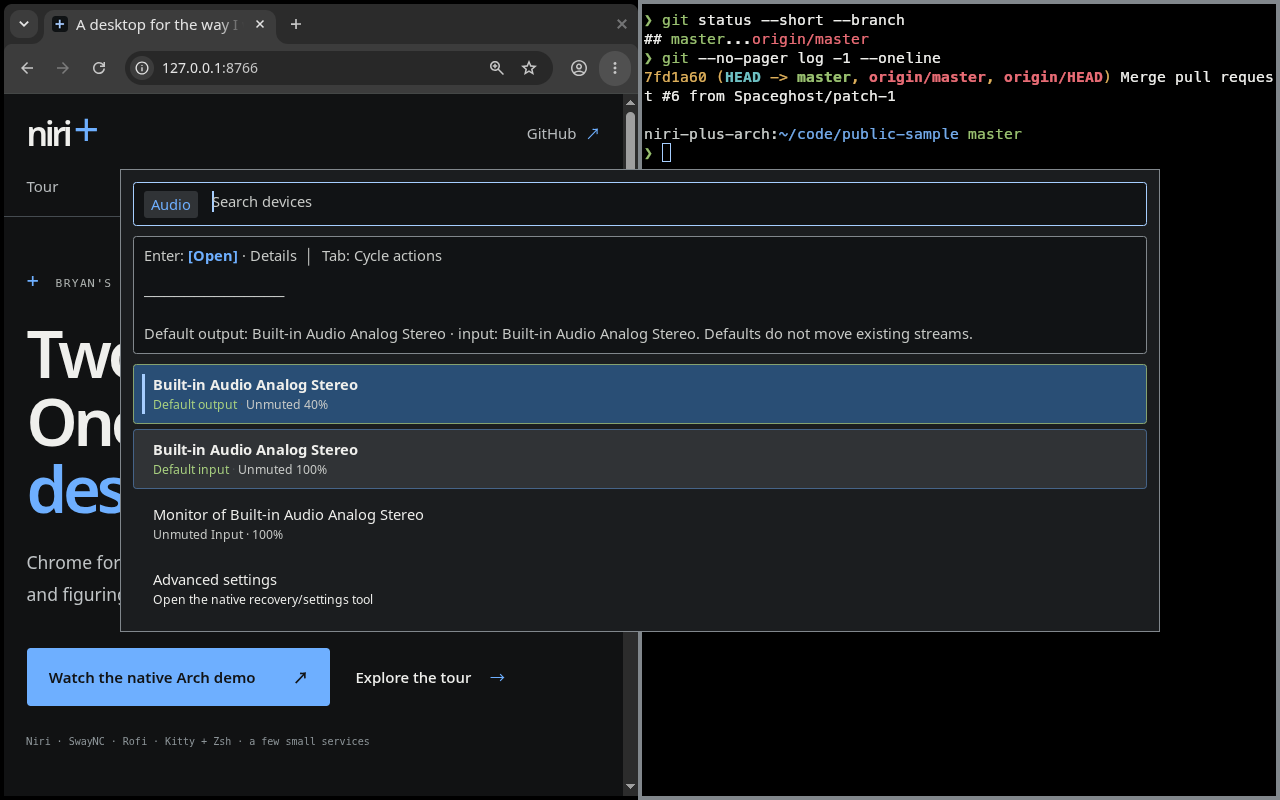
Find an audio device, see its state, and choose a named action in Rofi.
Browser and files
Chrome handles browsing, reading, transactions, and web applications for both work and personal life. Dolphin and graphical file pickers belong here too: opening a download or choosing a file to send should feel ordinary.
Niri gives the browser room, then lets me return to a terminal without navigating a stack of overlapping windows. My preference for terminal operations still leaves plenty of useful work for the mouse.
Try the pieces: start with the base desktop and its portal and file-dialog checks.
The earlier browser/files recording shows the full download, default-application and native file-chooser sequence.
Terminals and agents
Kitty is the terminal. Native coding agents stay responsible for their own conversations and authentication. Agent Plus provides an entry point into dedicated TUI windows: open one, return to one, or request another window.
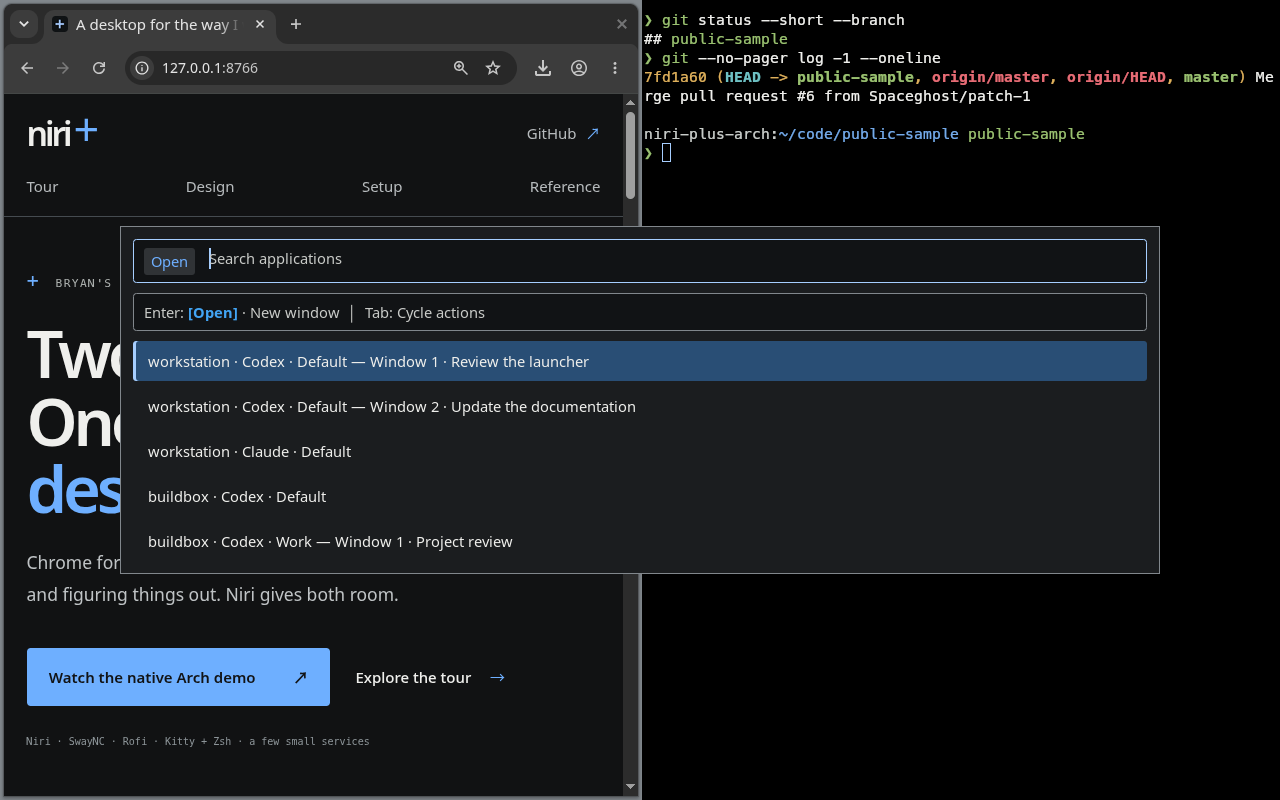
I like commands and configuration that I can inspect, repeat, and ask an agent to work with. That same preference connects coding, troubleshooting, and system management.
Try the pieces: Agent Plus and the launcher reference.
The earlier terminal recording shows the original guest sample check and column navigation.
Information when I want it
There is no permanent bar. Mod+N opens SwayNC for notifications and system
information. The custom panel brings time/date, CPU, RAM, active NVIDIA GPU information, primary network activity,
connected Bluetooth devices, and battery information into one divided surface.
The details matter: metrics refresh while the panel is open, missing hardware
sections hide, and battery estimates follow the reported charge limit. Volume and
brightness keys show brief replaceable feedback. Clipboard history is a separate
Rofi picker on Mod+Y, with text and images kept in their original form.
The earlier information/clipboard recording shows the full text/image restore, Delete, Cancel and confirmed Clear sequence.
Try the pieces: notifications and clipboard history.
Device controls
Network, Audio and Bluetooth use Rofi's search, named actions and separate device state. The focused recording shows actual Ethernet and virtual audio beside the Niri Plus homepage and Kitty. Wi-Fi and Bluetooth hardware are absent in the guest.
Staged Arch Linux x86_64 guest
Native controls beside the sidebar reference
Audio and Network use the same retained controls payloads in components 0.4.3. The fresh Arch guest reports virtual audio and its actual primary Ethernet link.
Sample content and guest readings: Frozen public Niri Plus homepage from main 4672016, clean octocat/Hello-World sample; actual guest CPU/RAM/Ethernet and virtual audio, owned sample notifications. Wi-Fi/Bluetooth/GPU/battery hardware are absent.
23.0 seconds · 1280×800 · Captured 2026-11-07 · Components 0.4.3
- Open Audio and inspect the default virtual devices and Details.
- Inspect Network and its connected Ethernet address.
- Return to the browser and terminal; absent wireless hardware stays unavailable.
Setup: Direct Rofi controls · Arch reference · Open or download MP4 · Media provenance · Capture receipt
Capture details
Captured 2026-11-07. Silent H.264/yuv420p, 1280×800, 691 decoded frames at 30/1 fps.
Output SHA-256: 51251a8ba37e07cd5d65c64873dd4f6b5e1f5fcb8f851751a21a4d6f2098183b. Poster SHA-256: f5c1cb7818446be9a75d4864acee80fccfb7b388bb9733b581a156b8d0c84b47.
- Raw source capture SHA-256:
f684d7da2db0ef0f2f80bbae4df6a9c954184d8de269328c645be3e7b5ad787e.
Processing notes:
- Continuous native 1280x800 capture at compositor scale 1; Chrome 125% page zoom. No crop, overlays, time changes or color conversion.
- Full decode and full-frame black detection passed: d=0.20 pix_th=0.10 pic_th=0.999; no intervals.
- FFmpeg copy-faststart remux preserved compressed H.264 stream without re-encoding.
- Independent native PNG poster; installed desktop entries invoked through gtk-launch for the control menus.
Review status: agent passed; primary reviewed native stills and representative full-resolution encoded frames; automated passed; human pending.
Work that can move between machines
A laptop is an entry point to work on other hosts. Mod+S opens SSH Plus and
Mod+G opens Tmux Plus. Their filters and named actions keep access close to
the keyboard. Agent Plus uses Mod+A to reach native agent windows.
Remote access is configured explicitly. Installing a picker does not grant access to another computer or require the entire observation stack.
Try the pieces: Fleet Plus explains the independently useful projects and their prerequisites.
About the demonstrations
The workflow explorer uses independent, unedited native 800p stills; its watch links open the current overview at the matching scene. The identity gallery remains illustrative. The Agent Plus image is a real Rofi rendering of its production presentation frame with sample entries and the installed desktop theme; it does not exercise agent sessions or remote hosts. The SwayNC capture shows actual guest readings in the full desktop. The recordings show actual software in staged Arch guests with public sample content. The current videos and stills use native 1280×800 capture at compositor scale 1 and Chrome browser zoom 125%, keeping the full desktop visible. The twelve archived videos retain their original source inputs, dimensions and bytes. The earlier terminal clip reuses its accepted pilot. Whole-monitor browser sharing is not shown in any clip. The current sidebar refresh does not repeat sharing acceptance. Earlier sharing is recorded in the relevant receipt; the earlier full reference replays needed the conditional WLR compatibility package. Read the current desktop capture receipt, the superseded Git documentation capture receipt, the previous 800p capture receipt, the previous showcase receipt, the reference and controls receipt or the earlier demonstration receipt. The media record lists versions, measurements, source and output hashes, fixture labels, processing and separate review status.
Human playback and aesthetic review remain pending and separate from the automated browser checks.