Niri Plus / Desktop guide
Login and the neutral greeter
SDDM starts the Niri session; Gtklock locks an already running session. They have separate authentication owners. The display-manager theme is system-owned; the Gtklock stylesheet is a user-session appearance file.
Pass the stock password-login gate first
On Arch, install SDDM, Niri, and the Qt6 pieces used by the greeter. The main Arch walkthrough also installs Noto fonts, Breeze cursors, portals, and the Niri starter. SDDM pulls its Xorg server/authentication dependencies; KWin is not required for this reference.
sudo pacman -S --needed sddm niri qt6-declarative qt6-svg
From a local console, verify that no other display manager owns the login path, then enable SDDM. Keep the distribution's current PAM files and default target:
systemctl is-enabled display-manager.service
sudo systemctl enable sddm.service
sudo systemctl start sddm.service
Select Niri and enter the ordinary account password. Verify the session, log out to the greeter, and password-login once more before installing a theme:
systemctl --user is-active niri.service graphical-session.target
loginctl show-session "$XDG_SESSION_ID" -p Type -p State
If the stock greeter or login fails, return to the console and inspect
journalctl -b -u sddm.service. Do not add autologin, alter PAM, or change the
systemd default target to make this first login pass. On the development copy,
stock SDDM password authentication and Niri startup passed before appearance
changes. A later login with the packaged KWallet PAM service wired to the
graphical session unlocked KWallet and passed a disposable Secret Service
store/lookup; repeat that path after a cold boot before accepting it.
Derive a theme preview from pinned inputs
The upstream input is the standalone Catppuccin SDDM theme, version 1.1.2,
Mocha Blue. Niri Plus derives neutral colors from this separate archive. Its
SHA-256 is
a68fbed896d3066aec1fdaded561e8d20c855f0de4e193bdca4bc0d59ac1e333. Use the
verified helper output at $STAGE from the
Arch walkthrough:
set -eu
mkdir -p "$HOME/.local/share/niri-plus"
WORK=$(mktemp -d "$HOME/.local/share/niri-plus/sddm-preview.XXXXXX")
curl --fail --location --output "$WORK/upstream.zip" \
  https://github.com/catppuccin/sddm/releases/download/v1.1.2/catppuccin-mocha-blue-sddm.zip
printf '%s  %s\n' \
  a68fbed896d3066aec1fdaded561e8d20c855f0de4e193bdca4bc0d59ac1e333 \
  "$WORK/upstream.zip" | sha256sum --check
unzip -q "$WORK/upstream.zip" -d "$WORK/upstream"
GENERATED_THEME=$(python3 "$STAGE/source/examples/login/derive-theme.py" \
  "$WORK/upstream/catppuccin-mocha-blue" "$WORK/derived" \
  --identity "$STAGE/source/design/identity.json")
case "$GENERATED_THEME" in
  "$WORK"/derived/*) ;;
  *) printf '%s\n' 'Generated theme path escaped its preview directory.' >&2; exit 1 ;;
esac
test -d "$GENERATED_THEME"
test -f "$GENERATED_THEME/Main.qml"
printf 'Generated theme: %s\n' "$GENERATED_THEME"
The helper reads the independently pinned schema-2 identity and writes a new preview directory. It does not install the theme or control SDDM. Preview the generated directory in a separate test display:
/usr/bin/sddm-greeter-qt6 --test-mode --theme "$GENERATED_THEME"
Inspect readable fields, focus, errors, font fallback, and cursor scaling. Test mode is appearance evidence, not PAM, password, or wallet acceptance.
Install only after the preview passes
Use a new theme directory and retain the existing theme and SDDM override. The example below assumes no theme directory already occupies this path:
THEME_DIR=/usr/local/share/sddm/themes/niri-plus-neutral-slate
if [ -e "$THEME_DIR" ] || [ -L "$THEME_DIR" ]; then
  printf '%s\n' 'Theme path already exists; keep it and choose a new directory.'
else
  sudo install -d -o root -g root -m 0755 "$THEME_DIR" &&
  sudo cp -R "$GENERATED_THEME"/. "$THEME_DIR"/ &&
  sudo chown -R root:root "$THEME_DIR"
fi
For the fresh reference account, create the following new root-owned override
only when the destination is absent. Inspect existing SDDM files first;
/etc/sddm.conf can override values under /etc/sddm.conf.d. On an existing
installation, retain a copy and merge only these keys instead:
if sudo test -e /etc/sddm.conf.d/90-niri-plus.conf ||
   sudo test -L /etc/sddm.conf.d/90-niri-plus.conf; then
  printf '%s\n' 'Existing SDDM override: capture its preimage and merge the appearance keys.'
else
  sudo install -d -o root -g root -m755 /etc/sddm.conf.d
  sudo install -o root -g root -m644 /dev/stdin /etc/sddm.conf.d/90-niri-plus.conf <<'EOF'
[General]
InputMethod=

[Theme]
ThemeDir=/usr/local/share/sddm/themes
Current=niri-plus-neutral-slate
CursorTheme=breeze_cursors
CursorSize=24
Font=Noto Sans
EOF
fi
The managed appearance leaves [General] InputMethod= empty for a physical
keyboard login. Keep the current value if an on-screen keyboard is required.
Do not restart SDDM while using the desktop. Reboot or use a planned login
opportunity to test the real greeter, password login, logout, and return to
SDDM, then retain the prior theme for recovery.
The second fresh replay returned to this installed greeter after reboot:
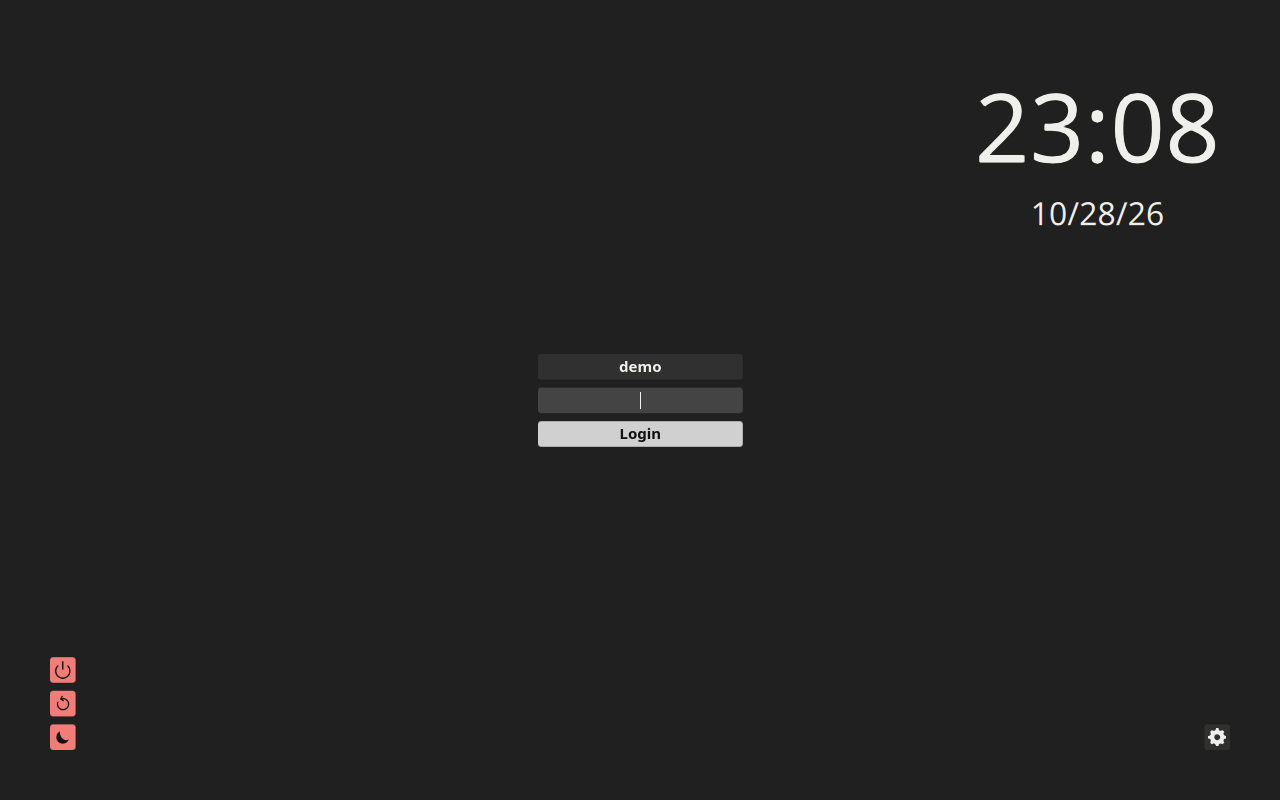
Fresh E3 replay, staged Arch guest, captured 2026-10-28 after reboot. The installation receipt records the native password-login and wallet checks; this still shows the real greeter, not the separate test-mode preview. See the media provenance and license notes for the still's source and attribution.
Wallet and Secret Service wiring
Keep SDDM's installed PAM stack. The development copy's packaged PAM file
already had optional pam_kwallet5 auth/session entries, and password login
unlocked the wallet. The kwallet-pam package supplies
plasma-kwallet-pam.service; Niri's user service can start it after the
graphical session is ready:
Inspect this user-unit drop-in path first. If it exists, merge the two ordering lines instead of replacing its other settings.
mkdir -p "$HOME/.config/systemd/user/plasma-kwallet-pam.service.d"
cat > "$HOME/.config/systemd/user/plasma-kwallet-pam.service.d/session.conf" <<'EOF'
[Unit]
After=graphical-session.target
Requisite=graphical-session.target
EOF
systemctl --user add-wants niri.service plasma-kwallet-pam.service
systemctl --user daemon-reload
Log out and password-login again after installing kwallet-pam and adding the
unit dependency. Starting the unit in the earlier session cannot recreate the
PAM password handoff. Follow the main walkthrough's fresh-login gate before
storing the disposable test secret, retain it across the next cold login, and
clear it only after that lookup succeeds.
For this reference backend, merge org.freedesktop.impl.portal.Secret=kwallet;
into the [preferred] section of the Niri portal configuration. On the
development copy, ksecretd owned both the Secret Service and KWallet portal,
and a disposable secret-tool store/lookup succeeded without another password
prompt. Check the service and bus owners after login, then erase the disposable
secret. Repeat after a cold boot before accepting the full login/wallet loop.
Never copy a private host's PAM file or wallet data.
To undo the appearance selection, restore the captured SDDM override and keep the previous theme available. Gtklock authentication and lock-service lifetime remain with the session recipe.