Reach the right machine.
Pick SSH destinations and share explicit host routes. Keep directional access intentional.
SSH Plus & Mesh →Observation · host access · desktop tools
Fleet Plus brings together six small projects for observing Codex, reaching hosts and opening useful native tools. Choose the pieces that fit your workflow.
Featured project · Agent Observer
Read-only Codex observations for dashboards, diagnostics and the next utility you want to build. Native managers keep ownership of the work.
Session identity, runtime and activity, with coverage and freshness kept explicit.
Explore Agent Observer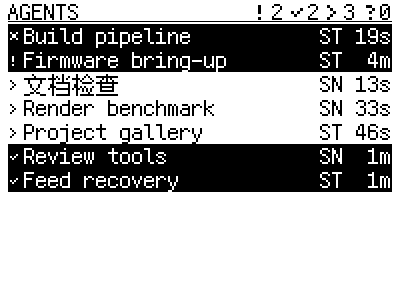
Other ways in
Related tools, independently useful. Opening a native TUI does not require an observation stack.
Pick SSH destinations and share explicit host routes. Keep directional access intentional.
SSH Plus & Mesh →Find Codex and Claude environments. Open or focus dedicated TUI windows across configured hosts.
Agent Plus →Browse sessions, attach to useful context and use explicit guarded actions through independent tmux tooling.
The Tmux tools →How it fits
Observer owns native facts. Mesh owns host authority and delivery. SSH Plus supplies access. Each utility owns its own presentation and intent.
Explore the relationships and directional routes →The collection
Observation
Read-only Codex session observation for dashboards, diagnostics and agent utilities.
Source on GitHub ↗Host authority and delivery
Host routing and bounded cached-state delivery for multi-host tools.
Source on GitHub ↗Host access
Rofi SSH host picker and public Host Mesh routing interface.
Source on GitHub ↗Native TUI entry
Rofi launcher for local and remote Codex and Claude TUIs, with environment discovery and exact window focus.
Source on GitHub ↗Tmux facts and clients
Passive tmux session observation and shared local and remote views.
Source on GitHub ↗Tmux browsing and actions
Rofi picker and CLI for local and remote tmux sessions, with guarded session actions.
Source on GitHub ↗